Buy from a source you can trace
Order from the manufacturer's own store or a listed authorised reseller. Marketplace stock can arrive initialised, resealed or pre-loaded with someone else's seed.
Independent educational resource — not affiliated with, endorsed by or operated by Trezor Company s.r.o.
We never ask for your recovery seed.
Independent guide · updated for current firmware flows
A calm, practical walkthrough of your first hour with a hardware wallet — unboxing and packaging checks, genuine firmware, a recovery seed that never touches a keyboard, and the small test transaction that should always come before the large one.
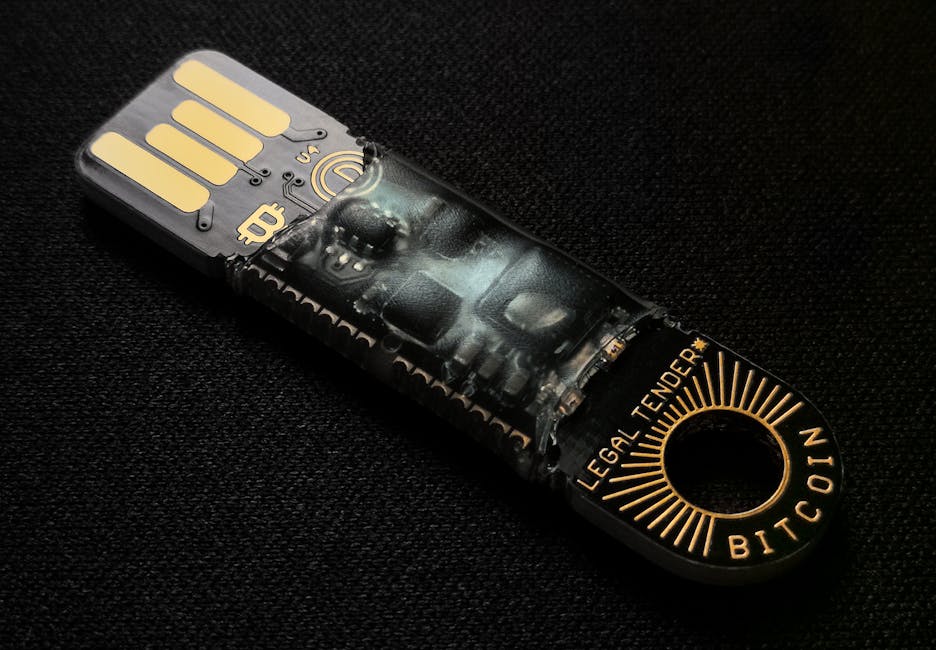
The device screen is the only truth in the room.
Confirm every address and amount on the hardware display before you approve it.
Genuine firmware only
Download the companion app from the manufacturer, never a mirror or an advert.
Backup stays offline
Paper or steel only. No photographs, no notes app, no password manager.
Before you begin
Almost every story of "my hardware wallet was hacked" begins before setup — with where the device was bought, what arrived in the box, or who was watching the screen. Start here.
Order from the manufacturer's own store or a listed authorised reseller. Marketplace stock can arrive initialised, resealed or pre-loaded with someone else's seed.
A genuine device ships empty: no recovery words on a card, no scratch-off phrase, no "activation code". Seals should be intact and the serial number consistent.
A private room, no screen sharing, no remote-help tool running for a "friend" on the phone. Rushed setup is where seed words end up in a chat window.
Pen and paper at minimum, a stamped steel plate if you want fire and water resistance. Nothing digital takes part in this step.
The walkthrough
This mirrors the flow you meet at the manufacturer's own starting point — reach that page by typing the address yourself (trezor.io/start) or through a bookmark you created, never from a link in an email, advert or direct message.
Type the address into the browser bar and bookmark it. Look-alike domains are registered for exactly the person in a hurry — a stale search result or a sponsored link is not the official route.
Desktop app from the vendor's download page, or the mobile app from a verified store listing. Never an installer mirrored onto a blog, a file-sharing link or a "faster" third-party version.
The app will verify the device and offer a signed firmware update. Let it finish without unplugging. If the app reports unofficial or unrecognised firmware, stop and use the vendor's official support channel before entering anything.
Choose "create new wallet" so the recovery seed is generated inside the device and shown on its own screen. Write the words in order, on paper or steel, keeping the layout. No photograph, no typing, no reading them aloud to anyone — including "support".
Choose a PIN you use nowhere else and, if you want one, a passphrase you have stored safely. Then practise: restore from your written words into a fresh device or an empty session and check the addresses match. Only after that, send a small test amount.
Everyday security
A hardware wallet removes the online attack surface — you then supply the rest through ordinary, boring discipline.
Written words in two physical places. Not a photo in the cloud, not a note in your phone, not a screenshot in a password manager.
The PIN guards the physical device against a casual finder. Reusing a bank or phone code hands over one of the two things an attacker needs.
Your computer may be compromised; the hardware display is not shared with it. Verify the full address and the amount before you press approve.
Firmware carries your keys, so it is signed and verified by the app. Accept updates only through the official companion app, on the official channel.
No manufacturer calls first about your wallet. Anyone who opens with "we noticed a problem with your device" is running a script, not a support desk.
Keep a small hot balance for daily use and leave the rest behind the device. Routine spending should never require unlocking your long-term holdings.
Recovery practice
Losing a hardware wallet is an inconvenience. Losing the recovery seed is permanent. The difference between the two is decided in ten calm minutes — ideally long before you need them.
Restore your seed into an empty session and confirm the first receiving address matches what you wrote down.
Re-read every word against your backup for spelling and order — one transposed pair is enough to lose access.
Store the two backups in separate, dry, plausible places — and let one trusted person know where they are, not what they say.
Rehearse once a year. Skills fade faster than hardware, and firmware and apps change.
Transaction awareness
Outgoing transfers are where most avoidable losses happen — not through broken cryptography, but through a copied address that was not the intended one.
Send a small first transfer, wait for confirmations, then move the rest. It costs a little in network fees and removes almost all of the "where did it go" scenarios.
Clipboard-hijacking malware swaps addresses after you paste. Compare the beginning and end of the address on the hardware screen against your source — every time, not just once.
The same ticker on the wrong chain is a different asset. Check which network the receiving service expects before approving; an irreversible mistake needs no attacker at all.
Questions
For anything device-specific — a support ticket, a warranty claim, a firmware anomaly — use the manufacturer's own support channel reached from the manufacturer's own site.
No. A hardware wallet is not an account you sign up for. The companion app is a local interface to the device, and the wallet itself is a pair of cryptographic keys generated on the hardware. There is nothing to register — and be suspicious of any setup page that asks you to log in with a recovery phrase.
A vendor start page such as trezor.io/start is the manufacturer's own entry point to its companion app and firmware downloads. Reach it by typing the address yourself or using a bookmark you created — never through an email, advert or direct message, because look-alike domains exist for exactly that purpose.
Do not use it. A genuine device never ships with a recovery phrase already filled in — the words are generated on the device during your own setup. A pre-written phrase means the funds are controlled by whoever wrote it. Contact the vendor's official support channel and treat that device as unsafe.
Often yes. Many modern devices pair with a mobile companion app over cable, Bluetooth or a memory card, and the same rules apply: firmware only from the vendor, addresses confirmed on the device screen, recovery words kept offline.
The device is replaceable; the backup is what matters. With your written recovery words you can restore the same wallet onto a replacement device and regain access. Without them, access is gone permanently — which is why practising a restore before an emergency is worth twenty minutes.
No. You buy the hardware once and the desktop and mobile companion apps are free. Any page asking for a monthly fee, a licence key or a paid "activation" for a hardware wallet is not part of a legitimate setup flow.
From the guide
Every hardware wallet begins the same way: a device in your hand, a short cable, and a decision about how careful you intend to be. The manufacturer's start page at trezor.io/start is its own setup flow — it walks you through downloading the correct companion app, installing genuine firmware, and initialising the device so the recovery seed is generated on the hardware itself and never on your computer.
That last detail matters more than any other. A legitimate start-up process never asks you to type a recovery phrase into a browser, an email or a support chat. You write the words down once, on paper or steel, keep them offline, and verify the backup before moving meaningful funds.
After setup, the routine is unglamorous and effective: confirm every receiving address on the device screen, send a small test transaction before a large one, install firmware updates from the vendor only, and use a PIN plus an optional passphrase. Recovery, when you need it, should already be familiar — practise a restore with an empty wallet long before an emergency makes it necessary. Set up deliberately, and the device becomes what it was meant to be: a quiet vault that does nothing you did not approve.
Work through the five steps in order, keep your written backup somewhere sensible, and the most technical thing you will ever need to do again is confirm an address on a small screen.